This Tiny Tool Scans Networks
Transcript
Machine-transcribed by YouTube. Expect errors in names, commands and version numbers.
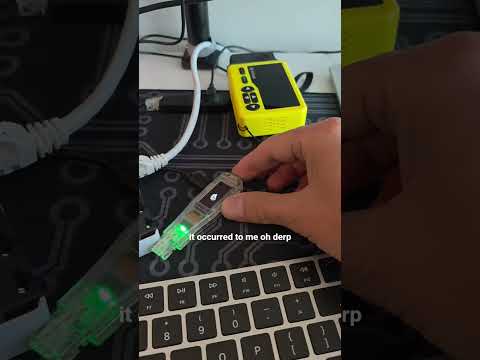
This one over here is brand new. This is called the SharkJack. And uh this is the latest version of the Shark Jack. This one is called the SharkJack display. And it's a network reconnaissance tool. So it kind of looks like a maybe a big flash drive with a screen or rocker switch, but the business end instead of being USB is RJ45. It's Ethernet. And the idea here is that in a few seconds, you can boot this thing up and you can select a payload from a library of payloads on this device. And they're pre-programmed with a bunch of really cool ones. Uh, and you can use this to then plug into a network and say, do a network scan, do an end mapap scan, right? Let's let's enumerate all the targets. And then live on the display, you'll be able to see the information you got. And then you can like continue to drill in like, okay, cool. There's this computer. Let's port scan it. or you know you're you're managing a bunch of Cisco gear or you know LLDP or you know your protocol duour you can plug this into something it'll do an LLDP scan and give you all the the data on it and like I said about being on a ladder with a laptop uh cuz we've all been there it's not fun. So I really just wanted a little computer that I could keep in my pocket and I can just scroll down here to my different payloads, plug it in, run it. Bob's your uncle.
>> That's great. The reason I have two here is because um when I was in systems administration, I oftent times had to run back and forth between the network closet where all the switches were and all of the different ports because the guys that put together the office, maybe not the brightest, I don't know. In any event, answering what should be a simple question of saying, "So that RJ45 walljack there, is it active?" Yeah. >> Is that connected to a switch? Which port on the switch? Which VLAN? Can that
transit the network? Can it can I get out to the internet? So, there are uh tools on here to just answer those simple questions. Just find out, hey, what IP address, whatever, can I reach the internet? But if you take two of them, there's a payload on here called Shark Link where I can plug one into this side of the network and another into that side of the network. And I think I've set up my ACL's, right? I think I've configured my firewall and my VLAN, right? But have I? And so, this is for validation. And it's just a really nice and none of these are very expensive. I know that there's obviously high-end uh networking equipment that will cost thousands of dollars and and do similar sorts of things, but this is a much more accessible and then also has that red team appeal. So uh this is similar to the other hot plug attack tools like the bash bunny and the USB rubber ducky. It runs ducky script. It leverages the Linux base on this is just a little Linux box. So your um so your payloads run bash and these ducky script commands that make it easy to create interactive payloads. So you can have little menus and of yes, of course I do have a flying toaster on this thing as the screen saver because I just love dating