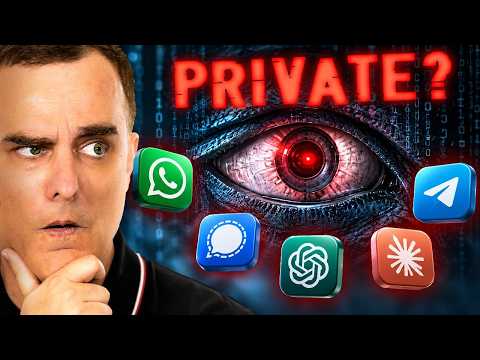
Hey Siri, How Do I Limit AI Data Access?
Transcript
Machine-transcribed by YouTube. Expect errors in names, commands and version numbers.
Each week, more and more AI tools are coming to our phones. With the launch of iOS 27, for instance, Apple is rolling out a variety of new AI features to its familiar voice assistant, Siri. >> But how are these AI tools handling our data? And what can we do to make sure our private information stays private? I'm Hudson Hunga. >> And I'm Jason Kelly. This is Eacctor from the Electronic Frontier Foundation. Later, I'll be quizzing Jason on this week's Flock [music] safety and license plate reader news. >> We'll also let you know about some upcoming opportunities to connect with [music] EFF. >> But first, we'll be talking about the privacy complications of AI phone features and how to limit what data Siri AI can access.
So, Jason, have you been following the Siri AI stuff at all? >> To to be fair, no, I'm not following it at all. I have Siri on an iPhone. Um,
and it has uh uh it has talked at me
unexpectedly a few times. Is that >> Well, that's what you're talking about. >> No, that's the core [laughter] Siri experience is you're trying to say something else and then it sort of wakes up. But Apple uh as of basically this
month is rolling out uh Siri AI. It's
only available on some Apple devices currently. Um, but it does enhance this voice assistant into a little mini AI
agent. And >> I'm I'm confused. And tell me if I'm being um naive. Hasn't it always supposed to have been like, aren't home assistants always supposed to have technically been sort of AI companions? >> True. Yeah. I mean, I think the capability they're sort of rolling out now the capability they've always promised, which is like, okay, oh, you can ask this AI to do things in other apps with other services for you. And like to varying degrees, they've sort of been able to do that, but now they're really sort of going all in like, okay, you can you can ask Siri to do things
other than just say stuff to you. >> Great. Okay. I'm excited for this challenge. Um because most of the questions I ask Siri do not get an answer. I mean it answers me but it doesn't it's doesn't understand the question or the answer. So um so what
what's the what's the issue with let's say you add an AI feature to Siri? I mean great now it's going to uh you know it has a I don't know it's got a bottle of water to burn and it it answers you with some LLMs. Um so what's the concern? So I mean the thing that we're talking about today is that for it to do anything sort of useful it requires deeper access to your data right like if
you want it to summarize a conversation it has to be able to read that conversation so with the Siri and other
sort of AI agents that are coming out for our phones there's two important related uh privacy questions that are raised which is okay what data can they access and what are they doing once they have the access >> and I assume because it's Apple they've thought very carefully about this and um put out a white paper or something explaining exactly like which data is accessed and what the data you know ends up doing and how it's like on device and
doesn't go anywhere else. I'm I'm I'm being optimistic. Perhaps >> you're being a little optimistic. There are there is that sort of documentation online, but among other things, Apple
doesn't really tell you at every moment whether it's doing things on device or not on device. And >> okay, >> so you can request like kind of an audit post hawk to get information about what it did on device and what it did off device. But at at a practical level, um
the question of what data is being accessed and how to control that is something our colleague Thorne Klowski, senior security and privacy activist at EFF, recently wrote about in a blog post that has a fairly straightforward title, which is how to limit what Apple's new Siri AI can access in iOS 27. Uh I
imagine you have not read this. I don't have iOS 27. So, I said, you know what? Let's put that down the road and see when I get it um what comes up. Maybe that's part of part of the problem here. Okay. So, what what can you do? Did you look at this to see if it's simple or is this like an hourong process? [laughter] >> It's not quite an hour long, but it does require to be pretty careful and look at different places. Um and among other things we're hoping asking Apple will make it much simpler to limit the data that its AI agent can access which not just Apple all of them should make it very clear and easy how to put these kind of limiters on it.
>> Yeah you would think but no instead we have to think about whether it's using local or cloud processing and
what is this makes my head hurt. This
makes my head hurt. Well, I know. I So, this is why I'm really glad that we have our our colleague Thoren because I was during the interview I was talking to him and he said I was like, "So, what are we supposed to do? Are we just supposed to look through every setting when we update our phone?" And he goes like, "Well, that's what I do." [laughter] Thoren who manages uh the surveillance self-defense guides,
of which there are more than 30. >> Yeah. He was like, "Oh, yeah. It's like really fun." So, this is a a task that
personally at least I do my best to offload onto Thor. >> Yeah. Okay. So, Thoren Thoren has hopefully given you uh gosh in this blog
a way that I can do the thing. >> Yeah. >> And in this conversation >> and in the coming conversation because I interviewed him uh to dig deeper into this. So, enough of us Jason. Let's listen to what Thorne has to say. >> Well, hi Thorne. Thanks for dropping by. Yeah, thanks for having me. >> So, today I wanted to talk about the new AI features coming to phones and the
privacy issues that they raise. Uh it seems like these are rolling out pretty fast. Is that right? >> Yeah. Uh depending on what sort of device you have, they're rolling out faster than others. If you're on Android, it's a little uh more complicated, but um most iPhones are getting these from the last few years. And with the roll out of what iOS 27,
Siri is now a Siri AI feature, right? >> Yeah. It's also kind of weird in itself. It's redubbed Siri AI. Um, but you do have to turn that on. It's a beta feature. And it is also on a wait list. So depending on when you updated your phone, you may or may not have access to this. And depending on whether or not you decided to opt into the beta for Siri AI, you may not have access to this. But what it basically does is it kind of combines old Siri with spotlight search, which is the little like you either press the search button or you pull down on your screen and you search for stuff on your phone, uh, into kind of one thing. Um, so Siri is smarter and as AI, you know, the name kind of says it's, you know, it's now got a bunch of AI features. It can actually answer questions, which Siri was not very good at doing before. Um, and so yeah, it can do a lot more stuff. um you know for better and worse I guess >> right so uh one of the big questions raised is how these AI features are accessing the data on our phones and what they're doing with it can you tell me some of the ways that we know these AI features can move data off of our phones >> the basic way at least in Siri's case is that if an app developer opts into the index system it Siri can look inside of an app um and when it does that it may or may not transfer data off of your phone and onto Apple's cloud compute um to kind of like process whatever sort of AI request you might have just made. And the kind of danger of that that we see is if something is endtoend encrypted um whether that's a messaging app or if you're using Apple's advanced data protection um it's essentially taking end to end encrypted content and sending it to another computer somewhere in the cloud. And Apple says that this is like private. They can't access it. Bunch of other stuff, but it is still fundamentally taking content that is end encrypted and moving it to another computer temporarily. Yeah, I did want to uh dig a little deeper into that.
Right. So there's uh AI features that are computed on device and ones that uh might be computed on external servers. Uh obviously on device it stays on the device. Uh, but there are certain instances where these AI features are moving things onto some kind of external server. Do we know when they're doing this? As a user, no. You have no way to know in the moment that that is happening. Apple does have a Apple intelligence report you can look at, but it's like a kind of incomprehensible technical file that like most people aren't really going to know what to do with. Uh, and it's it's also, you know, something you look at after the fact, so you wouldn't know until it's already happened. It'd be great if they improved what this looked like. We've seen them do it with like the app privacy report, which is in the same settings, like it's right next to each other in the settings, and that's a readable UX that you can look at and understand. The Apple Intelligent report is like absolutely not something that a normal person can look at and understand. So what do these kinds of uh data transfers mean for data that is otherwise being protected with endto-end encryption?
>> It basically just means that you data is leaving your device in a way that like is potentially privacy problematic. Um
we just don't know what happens to it at a certain point. You know like Apple has published white papers. They've got a lot of promises, but it is still fundamentally changing the concept of like this is information that is kept on my device and is mine and I control it and it sends it off device without really a kind of like consent model for us to understand in the moment. Um, like an example is like one of the new features in Siri AI is you can have it look at your screen and explain something to you. So, I can have signal open and I can ask what the what's so funny about a meme my friend just sent me because I don't know memes and I don't understand it. And so, it'll look at the screen. It'll go look on the internet and like solve its problem um using private cloud compute and it'll come back and tell me this is what that meme meant. So, it took that set of your you know content from that message that is endend encrypted and sent it elsewhere. messages that you may assume are completely protected because they are being endto end encrypted.
>> Yeah, exactly. And like again there's a lot of like computing power that Apple is saying, you know, they're saying that they're like protecting this, but it's just fundamentally a change to how we think of endent encrypted content. >> I'm wondering also is there any sort of uh ways that data is moving off of these phones for training purposes? >> There's a new optin consent model with
voice at least with Siri AI. Um I don't know about the like content itself. Um but it is kind of like a little bit of a change for Apple to have the like a ask to begin with. Um but there is now a way
for you to opt into training if you choose to. But at the very least Apple is not making this the default. I mean you do have to like actively choose to do that um if you are paying attention to the onboarding screens and all of the other things of course. So maybe another sort of uh potential thing to sort of be aware of as these features are rolled out. So with all of these AI features coming to phones and um the potential accompanying privacy issues, it seems like uh user control is really important here. What are you seeing when it comes to how platforms like iOS and Android are implementing the settings to control these features?
>> We are seeing a kind of chaotic mix of things. I would say um this release has
a very baffling set of controls that you have to kind of navigate to understand how to use. Um, it took me an embarrassing amount of time to realize that if I didn't want Siri AI looking inside of an app, I needed to go to the search screen, like the search setting, and turn it off there, not under the app access setting of Siri itself, which like the name really suggests that's where I would be looking to turn this off. Um, so there was a lot of like kind of just like funky wording and all of that kind of stuff. But um I will say that in the current beta 27.2
they are simplifying this and putting it all under one setting under Siri called exclude apps. Um so if they assuming they continue rolling with this and they launch it publicly it'll have one setting under settings Siri that's just exclude apps and you can just tell it not to do any AI stuff in that app which is great and it would be a huge win. It's something we've asked for for a long time in encrypted already, which we launched earlier this year. That was one of like very specific requests we had. Um, so I don't want to celebrate quite yet. Um, since it's a in the beta still, but um, it's it looks good on on on the service anyway.
>> So this is what these companies should be doing at the very least is having a
simple global uh, optin, opt out. Is
that right? >> Yeah. There's like kind of two things I think we'd like to see. like one an easy way to tell whatever the the devices AI system is to not look at specific apps or like exist in specific apps. Like as a writer, I don't really want to see writing tools ever anywhere in any app because I can write a sentence on my own. But like we would also like to see a setting for just like ondevice only. This is very rare. Samsung used to offer it. I don't know if it still does. Um, but it would be great to have that so you can just have that assurance where maybe you get some of these like minor benefits, the like smaller things that can happen on device. Um, and just not think about the kind of like broader bigger ones. Um, I haven't seen anything major really launch anything like that yet though.
>> It does seem like they're more interested in making their capabilities as impressive as possible and not necessarily informing us what is happening behind the scenes when there are significant privacy implications. >> Yeah. And it is a trade-off. It is like there if it is running an ondevice only model, it will really not be uh a a
marketing splash. It's going to be pretty basic. It's going to be pretty like be able to just do like simple simple things. So like no one really wants to do [laughter] that cuz it doesn't like make headlines. It's like just a slightly maybe better version of old Siri. Um but still I think there are like privacy conscious or people who aren't interested in AI features who may just kind of want that kind of option um to kind of just be able to get some basic stuff without kind of dealing with the like big cloud compute off-device stuff. So uh I'm sure some of our
listeners are those people. uh what can they do about this now if they want some of those features and want to try to uh uh limit access to other things? >> Yeah. So, for now, if we're going to go through a series of caveats here, if you have upgraded to iOS 27 and if you have opted into the Siri AI beta and if you have access to Siri AI, [laughter] um you can go in and go to Siri app access and you can kind of change some of the like Siri suggestion tools. Um, or you can back out and go to settings, search, and then you can turn off search there. Um, remember when I said earlier that search and Siri are kind of one and one. That was kind of the thing that unlocked it in my head of like what the heck was happening here. Um, and you can also just wait for 27.2 to come out and this should hopefully be a lot simpler.
Um, which what I'm guessing will be sometime in the next month. >> I mean, so what is the process now then when we get a new version of these uh
mobile operating systems? is our next step to like go through the settings to see how the data control has changed. >> Well, if you're like me, you just do that all of the time anyway because I love the settings of everything. It's [laughter] just what I do in every single update. Um I also tend to go through and just check to make sure that nothing got changed um and moved around which has happened uh in the past um non-privacy related or privacy related. It's just something I tend to do um and I think other people should too. It's the settings aren't scary. You can change them. you can turn them on and off. If there's a big new giant feature like this, like especially, it is worth going in and making sure that you are kind of like protecting the data that you are you want to be. Um, you know, sometimes these updates are tiny. You know, it's not necessarily worth going [snorts] in digging around for. Um, but something like Siri AI is like a landmark change in how Apple is like wants you to be using the device. So that's the time to go in and kind of like understand what it is doing, what it has access to, and how it works.
>> I should probably do be doing a little bit more of that and a little less of just trusting Thor to let me know if if something important happened >> that I mean I think it is fun. I find it fun to go into settings whenever I first get any new gadget. It's the first thing I do. Um and maybe that's just like the product reviewer like history that I have. Um, but it is I, you know, that's kind of the first thing I do before I before I start using the thing. >> Well, I'm glad somebody is looking very closely if it's if it's not always me.
>> Someone's got to do it. >> Well, uh, thanks again, Thoren, for coming by. >> Yeah, of course. >> Quick break to remind you that EFF is a member supported nonprofit, and your support is what makes this work possible. If you want to help EFF defend privacy, head to eff.org/podfan.
P O D F A N. For as little as $10 a month, you'll get our latest member t-shirt and join the community. Over 30,000 EFF members fighting to make sure technology works for everyone. That's eff.org/podfan. One more time, eff.org/podfan. All right, back to the show.
Okay, Jason. Uh so at EFF we've been talking about automated license plate readers or ALPRs and their privacy harms for a long time. Um but over the last year and particularly over the summer, the steady stream of stories about ALPR vendor flock safety has become a full-on
news flood. It's just all flock all the time in my feeds. >> You're on the wrong feeds. I mean uh yeah, it's no matter where you turn really. There's nothing you can do about it. And it's it's good. >> Yeah. I mean, it it's a good it's a good development. People are uncovering misuse. People are pushing back against flock in their community. It does uh create one sort of personal problem for me, which is tracking all of the flock news that comes out every day. And how well do you think you're doing that? >> Um, not at all. So, very badly. Uh, I
that being said, I bet I could No, I was going to say I bet I could guess. I don't think I can guess, but I'm going to try I I guess to answer whether
something was a real story. >> That is the premise. I am going to give you a headline about Flock or ALPR just
from the last week. We're only going a week back and all you have to do is tell me whether it's a real headline or not a real headline. Do you feel prepared for this? >> The last week meaning the last sevenish days. >> Yes. >> Okay. >> All right. First one. That wouldn't make a difference, just to be clear. >> It doesn't It doesn't make a difference, Jason. Okay, first one. Uh, Krampus
speaks in support of flock cameras. Are you familiar with Krampus? >> Well, I think I thought I was, but it's September, so I'm a little confused about why Krampus has anything to say at all. Am I misremembering that Krampus appears early? Um, >> I don't think so. Krampus is the demon-like associate of Santa Claus who punishes the children instead of rewarding them in Alpine folklore.
[laughter] >> Um, I love Krampus, so this would be really depressing. I'm going to say this is not a real headline. >> That is a real headline. So, this is like starting to become a trend. Uh, this particular incident was in Massachusetts. A woman dressed up like Krampus >> Oh. came to a town hall town board meeting in support of Flock. She said, "This stuff is right up my alley. People associating with the wrong crowds, being subversive, thinking naughty thoughts. With Flock, we can find that and we can punish it before. People have had the chance to actually do anything illegal." >> I still can't tell if that's like a gag to point out how bad Flock actually is.
>> People are starting to do this. There was just like last month, I think it was in San Diego, somebody dressed up as Darth Vader and went to a city council meeting to say, >> here's I have the quote here. The emperor is a fan of flock and we must continue utilizing flock technologies so that we can follow and surveil the rebel scum. >> I mean, I guess it's a funny gag. You at some point you run out of ways to say the same thing over again to people. So, I I get it. I get it. Um, >> and if you have the Krampus costume or the Darth Vader costume in your closet.
>> Exactly. Like you don't need it, you know, you're like, "Well, I'm not going to use it for another month, so like I might as well, you know." Um, yeah. Okay. I'm into it. I'm into it. Okay. Number two is not about Darth Vader. >> It's not. This is This is a more serious headline, which is three more cops charged for abusing flock cameras amid so many similar scandals that we can't even keep track. >> Uh, yeah. I mean, that sounds like a headline from a like a little like a an independent media perhaps. Um, it could
be true. I mean, like you're uh in fact, wait, it sounds like something you would write. I'm going to say it's false. >> It is false. Uh, it would because it was actually five more cops. I just changed the number in the headline. >> You scoundrel. >> That's who I am. So that's a right answer for you, but a a sad state of affairs for the people of Indianapolis where five police officers have been charged with fraud and official misconduct for abusing the flock network. Um it was like so five different >> they don't even know they can't even that's not even enough >> and all it was like every single one of the five it wasn't like oh they made a couple of naughty flock searches. All of them allegedly made hundreds or thousands of improper searches. One police department, five different people.
>> But this is what happens when there are no safeguards on this kind of data and the safeguard is like, well, you have to you have to type a reason or you have to pick from a drop down. Doesn't really work when you have more or less unfettered access unless the whole country is looking over your shoulder. >> I kind of like Jason with the cold. He has a fun vibe. Was that the last? >> No, that was the second one, Jason. It's been It's been exactly two questions and you're and you're one in one. >> Okay. So, it all comes down to this. The headline is God sees everything. Flock should not >> Yeah. Yeah. That's real. Yeah.
>> Yeah. Yeah, it is. Yeah, it's real. It's It was an essay that ran in Christianity Today. Uh, the sub headline was, "We are
right to resist government overreach and defend privacy, but there's no such thing as a secret life before almighty God." >> You know, I'm not really sure where that essay ends, but I'll say there's definitely a big part of that title I agree with. I think I think we can all say that. >> Yeah. Well, I mean, the the point there is really just that basically for everyone there is an ALPR angle,
[laughter] >> right? Right. Okay. Uh, well, that was a fun quiz. I got two out of three. >> Yeah. >> Um, that's a passing grade. >> I'm glad I'm glad that Is it >> I guess it is 66. I mean, it's pretty You lived in a different household than I did, maybe.
>> And now, events and opportunities. Jason, how can people connect with EFF in the weeks to come? >> Well, next Thursday, October 8th, you can catch our affecting change live stream about protecting the vote. On the stream, EFF staffers will chat with experts from verified voting, the Brennan Center for Justice, and Tech Equity to discuss the current state of election privacy and cyber security. Very relevant. And you can spot EFF at TechCrunch Disrupt October 13th through
15th. Stop by our table where we'll be spreading the word about our efforts to protect digital privacy and free expression online. Believe Flock CEO will be there. Finally, you can also find us at Bsides PDX in Portland, Oregon on October 23rd and 24th. In addition to our table in the exhibitor area, we're hosting a special speak easy where we meet up the night before on Thursday, October 22nd. So, if you're in the Portland area, you have 3 days to hang out with EFF. And of course, you can learn more about all these events and other ways to see EFF at eff.org/events. Well, thanks Jason. That'll be it for this week's Aector. Aector is a podcast by the Electronic Frontier Foundation, the leading nonprofit defending online civil liberties. Our theme music is I don't know by grapes.
>> EFF promotes digital innovation, defends free speech, fights illegal surveillance, and protects rights and freedoms for all. Become an EFF member today at eff.org/podfan. >> Your organization can also join the fight for digital freedom by supporting EFF and this podcast. Our work inspires a broad audience of activists, technologists, legal experts, creators, gamers, hackers, and everyone [music] who relies on digital tools in their daily lives. Learn more about sponsorship at eff.org/thanks.