The Cost of Data Sovereignty: New Providers, Old Problems
Transcript
Machine-transcribed by YouTube. Expect errors in names, commands and version numbers.
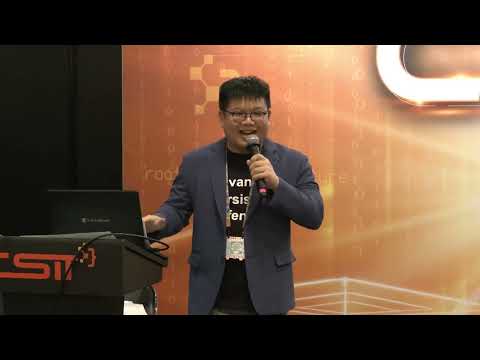
Thank you and thanks for joining this session. My name is Alex Cario. I come from Finland where I work as a security consultant for a company called River.
In this talk, we'll do sort of a practical review of some of the maybe smaller and lesserk known European sovereign cloud providers from the perspective of what security related services and functionalities they currently offer.
So recently we've seen a lot of headlines like this from across the Europe. Many organizations especially public organizations and u government entities are at least considering to move away from the US-based cloud providers. The US legislation like the cloud act and some recent changes in the
world politics uh have caused concerns about the sovereigntity of the European data stored on these US cloud providers. At least the opinion of the general public seems to be that everyone in Europe should stop using these US providers and uh move to the European alternatives instead. As this is a kind of hot topic right now, I thought thought it would be pretty interesting to get bit more more hands-on with these European alternatives and review how some of their like practical security features currently compared to the more familiar US hoopers scalers. [clears throat] And for this purpose, I've selected these three providers, Scaleway, UpCloud, and Exoscale.
They are all based in Europe and a bit different in size. Uh the scale way is probably the biggest of them. Uh but they all at minimum like provide the basic set set of features and functionalities and services that you could expect to find from a public cloud platform. And uh just to put some of these numbers to a scale, when you compare these small providers to the US hyperscalers, uh for example, the revenue of AWS last year was roughly 4,000 times more than the revenue of UpCloud here. So just by looking at that number, it's pretty evident that these small providers probably can't exactly match the service offering and features of the big players. But I think it's still pretty interesting to see how this gap actually look like it looks like in practice and what sort of functionality that we are used to is missing on these small providers.
For reviewing these providers, uh we have came up with these five categories of like uh pretty basic security related
features and services that are available on all of the big providers and are kind of like a pretty essential for securing your workloads in modern environments. These sort of uh criteria
categories don't obviously cover everything possible but it should give us some understanding on how things work on these small platforms. So next we
will go each of through each of these and see how they work on the sample European cloud platforms.
So the first section is AM and from AM we will be looking into three different things on high level. first how the IM works in general and if it allows implementing like granular policy that that follow the principle of list privilege. The simple benchmark here is
that whether we can create permissions and policies that give permissions for a single API call against a single resource. Second is the API access control. Uh like it was stated also in the keynote today, the static API keys are still one of the like biggest sources of cloud security breaches. So we want to see if
uh these providers have any other means to access the APIs. Third is whether standard SSO protocols are supported for user authentication. So let's start with scaleway. uh scaleway IM consists of principles that are attached with u policies that grant permissions and the there are three different principle types uh users, applications and groups and application principles are simply principles or identities that cannot log into the console but they can only use the API. The policies have rules, scope and condition. Uh the permissions are pretty granular per service like here we are giving uh
permissions to read objects from a bucket basically but the minimum scope is pretty wide. It's the whole project instead of a single resource.
The conditions could in theory be used to like define more tightly called policies, but as of at least last week,
the uh resource level conditions were only supported by a few services. The conditions are defined using common expression language and based on the documentation they should uh support scoping a rule to a specific resource name or ID. So for now the scaleway AM
system sort of fails the granularity benchmark but it seems that it might change in the near future.
In exoscale uh on the other hand the IM consists of users, roles and policies and roles are containers for policies and each user is associated with one role and this is one of the limitations that users can only have one role because it can easily I can see how it could lead into defining overly privileged roles if for example multiple users need to share a role.
The IM policies consist of rules that are defined using uh common expression language and as we can see here uh it allows defining pretty granular IM policies. So for example this example
policy allows read operations for a single test bucket and denies everything else. So exoscale passes the granularity
test and uh it allows defining pretty complex and granular IM policies.
Then the third provider upcloud. Uh in upcloud the IM permission model seems to be a bit less granular than on the other two there when you create users there
are only these three access levels you can assign them to. So uh even with the most restricted level
you can still create new resources. So this is pretty much overly permissive in many scenarios and overall the permission model is not very granular as there are only these three predefined uh access level you can assign users to
based on upcloud's documentation uh more granular uh permission model with things like readonly access is in their backlog. So maybe this will also change in the near future.
Okay. So then how about the API authentification? The biggest source of cloud security breaches.
Well, on all of these platforms, the API keys is still the only way to access the cloud provider APIs and there is no
functionality or way to attach like identities to your workload. Similarly like IM roles in AWS but if your applications need access to the platform you need to manage the API keys for them upcloud and u scale way allow setting some controls like automatic expiration for the keys which improves the situation a bit but still it's uh not ideal for human users all of the providers support using e either e either su or oidc One differentiator here is that the scaleway is the only provider that also supports scheme. So on the other providers, you are required to do some manual user management even when using the external identity providers.
[snorts] This brings us to the end of the first category. Uh this summary about the IM section. uh I think from this category when you compare to the traditional providers the sort of biggest gaps uh based on this review are that first of all you need static API keys still for everything. The lack of granularity in one of these or some of these providers requires to really think that what workloads and resources you run within the same IM boundary and the lack of
scheme could complicate things especially if you have a lot of users. [snorts] The second category uh is organization management. And what I mean by this is that all the traditional cloud providers have like a way to group and isolate
different resources uh and workloads so that there is a hard security boundary between them. So AWS has accounts, Azure has subscriptions and GCP has projects. Additionally, all the big providers have a way to set sort of a centralized guard rails and controls across the whole organization. So AWS has SCPs and RCPS
for instance. So we want to see if the new providers have anything comparable to these features. [snorts] First is Exoscale. uh in exoscale the basic container for resources is an organization and it's pretty similar to aat account is in AWS so it contains resources and you can use these to isolate the workloads and environments
when it comes to guard rails uh exoscale has a feature guide or called organization policy uh this policy is evaluated first in the IM authorization flow before any policies that are attached to the role are evaluated so You can use this similarly as SCPs in AWS and sort of a set maximum permissions within the organization. For example, here is a example policy
that denies creating API keys for the owner of the organization. One big limitation is that you cannot manage this centrally across multiple organizations, but it needs to be done individually inside each of the organizations. So it makes the management harder and there's obviously the risk that if someone manages to escalate the privileges within the organization they could go and modify this policy.
In scaleway the organization consists of projects which are like containers for resources. And when it comes to centralized controls uh the organization security page in scaleway has a few controls you can enforce across the organization. But honestly this pretty pretty limited and nothing really comparable to either the exoscales organization policy or anything the big providers have to offer. UpCloud also has similar similar features. Uh it has a workspaces that you use to manage the different workloads and isolate them. Uh it's a pretty new feature and their doc state that it's currently still in beta but it seems to be the recommended way to manage workloads within an organization.
UPC cloud did not have any centralized controls or guardrails you can enforce AC across all of these workspaces. [snorts] So to summarize this category, all of the providers have some way to manage and isolate the different environments and workloads similarly than in the traditional providers, but Exoscale is the only one of the three that has some centralized guard rails and this is also only for AM and pretty limited in that sense. So this lack of centralized controls is a pretty evident gap between these small providers and the traditional providers. Third category is networking. Uh while the uh big providers have tons of different networking features and services, here we will focus only on the network security basics. So what controls there are on subnet and resource level to control the network traffic and are there private subnets where you can deploy your resources to
upcloud has private networks and a feature called firewall that you can uh control the network traffic to your uh instances. But what is interesting is that when you use the console to create a new server, uh the status of the firewall is disabled. And this indeed means that the
firewall is disabled and all traffic is allowed until you go and manually enable the firewall.
Yeah, in scale way there is a feature called security groups that is used to call uh control the network traffic to instances and when you create an instance uh on the console it's attached with the default security group
and also with this the default configuration of this security group is to allow all traffic and no it doesn't deny any So while these sort of uh default configurations surely make everything easy to work with and uh get stuff to work easily they are definitely not the best configurations network security wise on exoscale there is also a feature called security groups that controls the traffic on an instance level. Uh it has a bit more sensible uh default configurations as all inbound traffic is denied by default. And here is the summary of the network security features. Um, there aren't that big gaps on this super basic networking features. All have some controls to control the network traffic on the platform and the private subnets you can use to deploy your resources to if you don't want to attach public uh interfaces to them.
None of the providers have anything to control the traffic on the subnet level though. But all the controls are on a resource or instance level.
Next category is logging. Uh also here the traditional providers have tons of different log sources and monitoring tools and whatnot. But again we focus on the basics here. So let's we want to see if the if the platforms have the most
important control plane logs and whether you can export them somewhere on a central storage and import to CM
exoscale it has a standard a trail and it contains the control plane logs but what is interesting is that if you look at the support subscriptions without paying for support plan you get a limited audit And the limited audit trail means that it contains logs from the last 30 days, but it doesn't contains all the entries, but only mutating actions in the control plane. The logs are also not exported anywhere, but you need to pay for the support plan to export them to a a bucket and uh centralized storage.
Also, AppCloud has a audit trail or audit logs for of all the control plane activity. uh it seems based on their documentation and uh from clicking through the console that there is no automatic delivery to the logs of the logs to a central storage available but they have an API to fetch the logs from the platform but if you want to store them centrally somewhere or feed them to seam you probably need to build some custom tooling around that
of the three scaleway seems to have the most mature offering here uh though it seems to be still in beta. The audit logs can be exported to a bucket bucket for a long-term storage and they are the only provider of the three that provide any documentation of integrating the logs to a centralized CMS. [snorts]
Here's a summary of the logging category. Uh in addition to what we just went through, none of the providers also have any built-in threat detection or monitoring tooling. So if you want to do some detections on the platform, you need to build the detections on yourself.
And that brings us to the last category which is tooling. Uh I'm sure that everybody knows that with the traditional providers, there exists both native and third party security tools for basically everything you can think of. Uh for these smaller providers, it
turns out that there is pretty much nothing available. uh none of these platforms have anything like built in and uh by googling
googling around I found these two third party tools that mention either scaleway or exoscale in their in their websites but however when you compare to what is available on the traditional users uh traditional providers this this is pretty close to non-existent.
So that's a summary of the tooling category. In addition, like every each of these providers has the standard developer tools like SDKs and CLIs and Terraform providers, but the lack of sort of uh off-the-shelf security tools could be a bit of a headache for security teams in organizations that are planning to use use these platforms in a larger scale. It is though interesting to see how quickly market will fix this issue if the if the popularity of these platforms increases. You could obviously use the SDKs to build your own tools but well it's not really realistic for most of the organizations and even if you did you probably cannot really match the features of what the big tool vendors and the big providers has have to offer.
And this concludes the review. This was
obviously just a scratch of the surface of a features of a few of these providers, but I think this probably gives some idea of what the security teams could expect if your organization is planning to take one of these smaller providers into use. Um to summarize what we just went through, I would maybe raise these five things. Overall the sort of a many uh
enterprise security features we are used with the old providers are missing like the lack of centralized controls. This requires you to put way more effort on securing each workload that you have on this platform because you can't really rely on the centralized controls and policies because those don't exist. And same goes with the with the security tools that like lack of complete lack almost complete lack of security tools make you lose lot lot of the visibility of what the security posture of the environment is and if you want to figure that out you need to probably review the configurations manually. Same goes with threat detection. uh the complete lack of off-the-shelf solutions requires to you to build all the detections yourself if you want to detect something on these platforms.
So overall much of what we are used to with the P providers is either completely missing or oh
way more limited. But to end with a positive note, uh these providers are constantly coming up with new features. Like during summer when I was preparing this, I had to go back and change many of the slides because like so many things had had changed and the providers had shipped the new features. So consider this review just a snapshot. A lot of this stuff might be completely different if you if you look on onto these providers later. with that. Thank you.
[applause] >> Thank you, Alexi. I guess any questions? Oh, already a question.
>> Uh so after this the talk this morning about the sovereignity and your talk, >> I think that I have observation and question. I think that the European leaders and the European economy has failed with the cloud and it's failing again with AI. That's that's clear. My my sec my question is like okay as technical leader or decider how I would wake up in the morning and I decide to go with one of these European provider and not go with Google or AWS or what
will make me like go ahead with these providers that as you said they have a limited offering. So the question was
that uh like what would make an organization select one of these smaller providers instead of the US ones? Well, obviously like the sovereignity concerns
are probably the main reason and driver and like um well for many of the organizations it's not really that much of a concern because they don't like bluntly need to care. But some organizations uh for some organizations these these questions could be a more like a important ones. But like if I had to pre predict I I don't I don't think we will see like a massive trans migration to these smaller providers anytime soon. But rather maybe organizations that are using AWS or Azure move some of the most critical workloads that are like subject to some of these sovereignity questions to these smaller providers and move this sort of a multi cloud environment.
Okay, I think we've got time for one more question. Uh,
considering the feature set for IM is very limited, how do people do migration? Do they have to re rethink their old architecture and try to map to what's available or is there tools, hope, despair? Yeah, well that's a good
question and like if the IM work works like completely differently than in the old platform then you obviously need to spend some time thinking that how you can do the migration securely but like uh I think like if the IM is not granular enough that you can like give granular permissions then you really need to spend time thinking that what you can run within the same sort of IM boundary or within the same project for example. So >> great. Well, thank you, Alexi. >> Thank you. And [applause]