Lobsters
PlayBook: A Programmable Paper Notebook
Comments
Transcript
Machine-transcribed by YouTube. Expect errors in names, commands and version numbers.
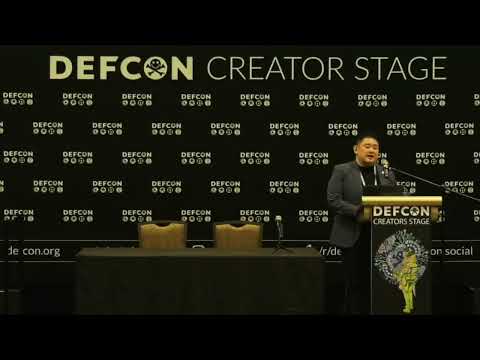
I'm Ivy Reese. I work on the programmable ink track at Incan Switch, and I am here to give you a status update on what the programmable ink track has been doing all of these years. Our long-term goal is to make a programmable notebook, which is like a space for the sort of early stages of exploratory thinking that combines the things we love about paper notebooks with the dynamism of software. So in the past our research has focused a little bit on sketching but mostly on computation. So this is inkbased. It was one of the first prototypes that we made. You can draw, you can select the stuff that you draw. You can open some properties and then you can write some lisp to sort of script those properties and do stuff with the ink. Then we followed it up with crosscut which is for drawing technical diagrams and then taking this stuff we call meta ink and doing some sort of math with the meta ink so that you can make something over here you know wiggle it with your finger and have something over there waggle.
Then we made untangle which lets you sketch tables of data and then shuffle that data around using an SAT solver. Most recently released is Inkling which
is a notebook. You can sketch usually something mechanical and then go into this mode where you can make constraints like a constraint solver kind of constraint in a tangible way that you can control the constraint with your fingers and then there's birectional evaluation. So as you touch stuff and move it, it reacts and it pushes the error where the error needs to go. And the way that you program it in a sense is you can pull out these little formula boxes and write in the math equations that you want to drive what the constraints do. And that's how you get all the different relationships between the constraints. So our current project, what we've been working on for the last 2 and 1/2 years is playbook. And that is what I'm going to talk about today. So it's been 2 and 1/2 years. The first part of playbook was a thing that we called the design phase. So unlike our previous projects where we focused on prototyping as a way of understanding what to build for playbook we said we're going to sit down and we're going to do a focused on paper design phase first
not do any coding and then we're going to follow that up with prototyping and implementation and that prototyping has been what we've spent the last two years doing. Uh folks working on playbook James Lindenbomb is sort of our design lead sort of holds the vision for the research area focuses what we should be working on on the right things. Marcel Gatal has been putting in the lion's share of the work on playbook. Um, doing the implementation, doing a ton of design. A lot of the stuff I'm going to show you today are his demos. Um, his work is fantastic. Alex Warf has been helping us out with programming models and with constraint systems and with like weird little micro languages for scripting and all sorts of interesting things like that. And I have been doing a bit of the programming, a bit of this design, very focused on like making this thing a really nice interface to use with your hands and with the pen.
Playbook is a culmination of all of the work we have done so far in the ink track. But what really differentiates it from the work that we've done before is that playbook is focused on being a very good notebook. So what is what is a notebook? Right? Like what what actually is a notebook? It's not Jupiter, right? It's this space where you can take thoughts out of your head and take those thoughts through your hands and put them into the real world and then see those thoughts there and react to them. It's this tool for thought for pulling things out and putting them in a space where you can feel differently about them. That's what a notebook is.
So, the things that you can do with a notebook, think about what tasks you're going to do today or brainstorm some ideas for a project. Or if you're playing a puzzle game like Blueprints, anybody play Blueprints, really good. You need a notebook to play that game. It is so hard. The puzzles are insane. It's huge. My blueprints notebook in playbook was like 70 pages long. Another thing you could do with a notebook is like plan a garden or a wood shop or something like that. do some like layout and space and figure out how you want things to be proportioned. Another thing you could do personally meaningful to me is keep a journal of perhaps your feelings as you are transitioning or you can just sit by a river and sketch.
Right? That's totally valid to do in a notebook. A physical notebook is made of paper and the paper is designed to tell you what it is for in a very subtle way. Ruled paper is for writing, right? You got these lines to guide your writing. A dog grid is for doing what I would call semistructured drawing. So you can be loose, but it kind of gives you this hint as to a sense of space and scale and proportion that you can use to guide the drawing that you do. But my favorite and probably everybody's favorite is the blank page. The blank page is the most beautiful form of paper. It is a tool for thought of the ages. There is a reason that we say that the blank page is the beginning of a creative process.
It's one of the best tools for thought we've ever made. So, I would like us all
to take a moment of reflection to
appreciate the beauty of the blank page.
I hear somebody typing.
I love nothing. By the way, this is a screenshot of Playbook. I uh had to click the little buttons and take the PNG and put it on my Mac. This is Playbook. Uh this is what playbook looks like by default when you launch it. It is a blank page in the truest sense. For contrast, let's look
at some other notebooking software. This is Apple's free form. See all those toolbars? Button in the corner, thing down there, thing down there. It's a lot of stuff, right? Here's concepts. It's got even more stuff, right? There's this little palette for your pens and things, color picker, a button that says pro for some reason. That's a lot of stuff in your thinking space. This is the OG Paper by Studio 53. How many people used paper back in the day? Wonderful, wonderful app. Huge
toolbar at the bottom, right? All of that bottom space taken up with tools.
Notability. This one's going to be a minute.
Do you know what really works? My patches. No, not Estrogen. Uh, it took me 15 minutes to take this screenshot. I had to go through an onboarding flow. I had to sign up for an account. I had to pick an optional payment plan that was broken in the app, so it bounced me to the website. I had to pick a payment plan on the website. Then I had to go through the onboarding flow for a second time which created two copies of the onboarding doc in my notebook and then I could finally click on the new page button and take the screenshot. That was 15 minutes of my life.
These notebook apps are heavy with
affordances, right? An affordance in design is something that a designed object has that you can see that tells
you what the designed object does. It shows you the functionality of the designed object. And the way that these notebook apps are designed, their affordances are a constant nagging reminder of the features that the developer wants to really make sure that you know about for the purposes of user retention and onboarding and that sort of stuff. This persistent onscreen Chrome is not meant to benefit your thinking. It's meant to benefit the very very first few minutes of you using the app and it all lives in the same space as your thoughts. Whereas playbook is truly a blank page. So how
do you use playbook if there is no Chrome gestures? Here is a few of them. We have all the usual notebooking features under redo selection different pens. Lots of different stuff you can do to do all the notebooking tasks that you want. But you do those with your hands and with the pen, not with buttons on the screen. And when we do need to show a UI element, it's a transient thing that appears when you need it, like this little pen picker. You squeeze the pencil on the iPad to bring that up and when you unsqueeze, it takes whatever pen you were hovering over. We use hover and squeeze to get that. You can select stuff by firmly pressing into the page.
It switches you to a selection mode. If you tap this selection, you get this little bar that lets you duplicate and delete and change the pen color and that sort of thing. And there's a little shelf you can pull in from the side if you want it. All of these things appear near where you're working, right? The little popup that showed the duplicate and delete that was like right where you tap on the ink stroke. The little popup that lets you pick pens appears right where the pencil is. All of this stuff, this gestural input, this blank page makes Playbook feel like a paper notebook in ways that other notebooking software does not feel like paper.
Now, we want playbook to be a good notebook, but we also want it to be programmable, right? We want dynamism like computation and reactivity. If you build a model, the model should come to life. You should be able to squeeze it and squish it and see how it reacts. We want augmentations, which are things that you add in to the basic set of notebooking tools that let you do more things than what the built-in tools allow. And we want you to do that stuff with malleability, as in you are changing the way that playbook works using the other pieces in playbook. You're changing the pens using the pens. You're changing the paper using the paper. You're not going to some separate mode where there's a JavaScript box and typing code. you are using your pen and your hands to do the programming.
So you should be able to take something that you already do with a
favorite.
And then you hear this point a little higher up. And then you hear that point a little higher up. And you hear the thunder kind of backwards through time
as far as the lightning bolt is concerned because it's that top bit that takes the longest to reach you. And to explain this in a bar in Portugal once, I really wanted a dynamic notebook where I could whip up a little pen that would let me cast lightning with these little shockwave circles emitting out of it so that I could show the person I was drinking with this really cool fact about lightning. So, that's one thing I'd like to do with Playbook. Here's another example. Let's say that you have a chronic condition, chronic illness that makes you feel different in your body and you want to keep track of those things. You could use a paper notebook and each day add a page where you do a little sketch of your body and then color in the different regions that feel different ways and use color to sort of indicate what the feelings are.
Or you could make a little kind of informal scale and kind of casually mark
the things that mean something to you.
But if you have a dynamic notebook, you could build an aggregating view that takes all of these things and overlays them over some period of time to show you how your feelings are changing or how your feelings are clustered. This last one is probably the most
personally meaningful to me. forget that first one. Um, I am a songwriter. I write a lot of music. And the way that I usually write a song is I sit down at an instrument and I have a paper notebook and I have my iPhone with voice memos so that I can write staff notation and write lyrics and make notes and then on my iPhone with voice memos, I can like play something on the instrument and record that so that I have the the details of the performance captured as sound. These two things are capturing different aspects of the song. Those two things are in separate worlds. I want them to be in the same space. So with playbook, this is a screenshot of actual playbook. You can see I customized my shelf so that the tools have their own little icons and stuff on them. There's a little Metroid down there. There's a big record button in the top left. And when you push that, it pops out a little tiny piece of paper that starts recording. And you play something. And when you're done, you tap that thing to stop it recording. And then that little piece of paper embodies the sound that was recorded. And so you can write notes next to it. You can write lyrics. I'm doing some weird
extension. This behavior where paper can be used for recording is not built in. It's something I added to playbook to support this use case. And now every time I write a song, I use this. It's become an indispensable part of my songwriting process.
how to get everybody working on playbook, the four of us onto the same page and align our thinking. And so we came up with some some thoughts, some little nuggets of wisdom that we shared amongst ourselves to make sure that as we were making decisions, we were making them in a way that was coherent. And I'm going to share three of the dozen or so with you. So the first one is that playbook is a notebook that can be programmed, not a notebook for programming. It's not Jupiter. It's not VS Code. It's a notebook. It should function as a basic notebook even if you never touch the programming features.
The next one is that we want to support the earlier part of the creative process, the very beginning where you have a spark of an idea and you just need to get it out and not the later
stages where you are fine-tuning the idea, moving things by single pixels, working on exact measurements and proportions and getting really like polishing an artifact. That's not what playbook is for. And the third one, and this is going to sound weird, but it's going to make a ton of sense when I start saying what the hell this is about. Prefer unambiguous input and clear feedback over magic. Uh, this one is about AI, right? So, when we started designing playbook, AI was still not very good. And we couldn't rely on things like handwriting recognition, image recognition, the ability to tell an AI to do something, have it actually do it in space in a meaningful way. We couldn't rely on any of that. We designed playbook to not need it. We would love to use handwriting recognition but whenever we try it we get ambiguous output and ambiguous output is the death of the flow state.
Right? If you do something expecting it to give you a specific result and it doesn't knock you out of your flow state. So we can't rely on AI. What's
worse about AI perhaps for notebooking is that with a notebook, you need an immediate physical connection to the work that you're doing. You need it to be fast and responsive. And AI introduces latency that other approaches to solve the same problems do not introduce. And so for Playbook, we designed the whole thing not depending on AI in any way. And we have not had to change that part of the design in the years since. We've been able to do all the things we want to do without depending on AI. We may add AI in at some point as an additional layer on top as an extra thing as part of the behavior if you want, but it is not part of the core design.
What is part of the core design is this kind of weird idea that we call material physics. So the materials are the things that make playbook what it is. Everything inside of playbook, everything you can see and touch, all of the concepts that are in playbook, anything that we invent and we think this should be in playbook, we have to make it in terms of what we call materials. Materials have some rules internally that govern how we make them. Not going to get into that. It's a little bit too in the weeds for this talk. But this way of building the notebook out of materials has had some really surprising results. And so I'm going to talk about a couple of the materials that we came up with. The first material is paper.
which is arguably the most important material in a notebook. So when you first open playbook, you get this nice, beautiful blank page. That page is made out of paper. You can make new pieces of paper. Paper can be any shape, but it's usually a rectangle. It exists somewhere in space. And the main purpose of paper is so that you can draw on it. You can also select it and move it around and do stuff with it. And because paper is a surface somewhere in space, it has some
get different pages. You can kind of pinch in from both sides now. We call that the Joanie Mitchell and swipe through your pages. Uh the little shelf that's on the side is made out of paper also. Oh, the infinite canvas behind all your pages was made out of paper. That little popup and all the little buttons that are in it are made out of paper. When you select something, that UI element is made out of paper. When you are scrolling through your pages, we're doing that by moving a camera. The camera is a piece of paper. It's a piece of paper the size of the screen. It's transparent. And there's a special behavior on that piece of paper so that when you swipe it moves the camera. The shelf is attached to that camera paper. There's also another piece of paper attached to the camera where when you select something, we pop it up onto that piece of paper that's stuck to the camera. So, as you swipe through pages, it comes with you and then you can drop it down. All of those UI things in Playbook are made out of paper because it's a rectangle in space that can have things on it. It's a really cool material.
Those behaviors that I talked about that paper has are the same kind of behaviors that you will make yourself when you use Playbook. They're not super special weird things. They're the kind of behaviors that you should be able to make. So, the second material I'm going to talk about is ink. Arguably the most important material in a notebook. Ink, you know, you put the pen down and you use it to write or draw. You could draw a cat. Uh, ink is made of strokes. So, you make a stroke by putting the pen down and sliding it and then lifting the pen off. That's a stroke. There's a number of different pens built into Playbook. You can switch pens. You saw the different colors. This cat is black.
The way that ink is rendered in playbook is kind of weird and special, and I want to talk about that for a second. This is getting into the technical weeds. I said I wouldn't do that. We're going to do it. Um, two universal approaches for rendering ink. What's one of them? >> Vector. What's the other one? pixel raster. Yes, correct. A bit map is a big array full of pixels and when you draw a stroke, it splats into the bit map. You store the bit map and what are the downsides of a bit map? You scale it up, it gets blurry, it gets pixelated. The nice thing about a bit map is you can slice it at an arbitrary point and do things with that slice very very easily. Downside of bit map is that you
can't bend and deform the stroke after you've drawn it. The other approach, vector, it's this smaller array, smaller than the array from the bit map of more sophisticated points. They're not just like a pixel in space. They have some more data to them. And they turn into pixels when rendered, but they're stored in a form that lets you manipulate them. You can bend and deform them. You can scale them and they stay sharp. but they are hard to cut because the algorithm to inflate the path, especially if you're doing anything fancy with those paths, makes it really hard to slice a vector at an arbitrary point and keep it looking the same. Those are the two approaches. Which one did we use?
Secret third thing, we do not use bit map or vector. So, we do store all of the points from the pan as you draw like you would with a vector, but when we render, we generate a particle system. Each of these little particles, we call it an inklet. They're rendered on the GPU using instance geometry. If you scale a stroke, like if you stretch a stroke out like you would, you know, enlarge it or something like that, we just fill in more inklets to fill in the space of the stroke. And because it's rendered using transparent particles, it builds up in a way that looks really natural, just kind of falls out of this style of rendering.
feels like a natural media like pencil just by virtue of the fact that you're building up more and more and more of these translucent points. You can scale it, you can deform it, you can cut it. So just like with paper, the playbook UI is made out of ink, right? All of these things are ink. That selection stroke is a special kind of ink stroke that has a behavior on it where when you let go, it takes all of the things inside that lassu and pops them up onto the piece of paper that's attached to the camera. All ink. The third material, the final material that I'm going to talk about today is for programming. This is a room full of programmers. Let's talk about programming, right? You want to know how the programming works?
>> All right. Uh well, we have spent the last two years working on that part. And that part is the research. So, uh we have made a ton of prototypes. We've tried a whole bunch of things. We are not happy with the things that we have tried, but I am still going to show you one of them.
So this is how
you take a little bit and you
emit a dynamic selection. So it spreads across all of the ink and selects all of the ink that is within a certain threshold and you can kind of nudge it and it will spread in the direction that you nudge. is making a selection just like the selection you would make if you draw a lassu. You can move the little spot of flux where it's being emitted from to change what ink it's capturing.
And then if you write more ink, the flux selection dynamically expands to capture the new stuff. And you use that selection the way you would use any other selection as part of a programming process. And if you have seen those earlier prototypes like inkbase, you know the deal. So that's ink, paper, and flux. That's the past two years of playbook. We've been building and refining a series of prototypes. It's sort of one longived prototype, but it keeps changing and morphing. Um, this is a a very recent experiment that Marcel did to build a rectangle tool in user space out of tiny tiny little primitives that behind the scenes if you pop the cover on them are powered by these things called propagator networks that give us birectional evaluation. So he makes a little button that's going to make one of these and then he can draw one of those using a tool. Then he can take this and pop it over onto this special page over here. And then whenever he goes somewhere and does a little pencil squeeze, there's that tool he just made. So that's making a little rectangle tool in user space in real time.
Marcel, everybody. So Marcel playbook, right? We are genuinely using it. Marcel does his note takingaking every day in playbook. Every song I write, I write in playbook. We're living in this tool. It is not done. The research has a long way to go before it's done. Especially on the programming side, so I don't have a special fun announcement like playbook is out today or anything like that to share. But I do have one thing I am going to leave you with. Do any of you know the witch hat hacker named Zero Void? They posted a lab note on our website
saying that they found a leaked copy of a user guide that we made two years ago describing the design of playbook. Now obviously this is bad and we do not want an internal document like that to get out. So I am not going to give you the URL. So that was the history in the making of playbook. Thank you all. I've been Ivy Reese and uh yeah enjoy lab day.